
Kiosk & Sales Assist
The endless aisle in your store: customers browse and order your entire assortment, including what isn’t on the shelf.
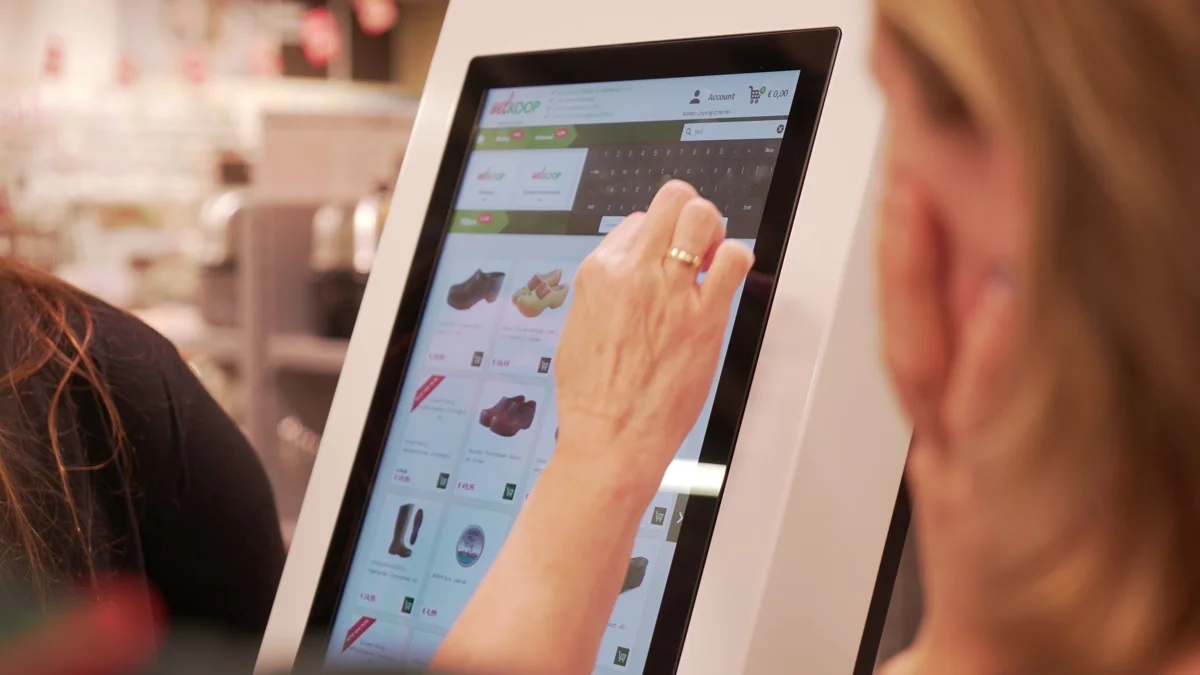
About Kiosk & Sales Assist
Show more in store than fits on the shelves.
With ASPOS Kiosk you show more in store than fits on the shelves. On a wall-mounted touchscreen or a tablet on a stand, your customer browses the complete assortment, views photos and videos and orders what isn’t in stock. Customers who sign in with their loyalty card get their own customer prices straight away and collect points.
The order is paid at the till and then delivered to the customer’s home or set aside in store. Head office manages the layout centrally, while each store can show its own assortment.
Key features
From browsing to ordering, in store.
- Search the full assortment, with photos, filters and (YouTube) videos
- Sign in with loyalty card or via the keyboard
- Shopping cart: buy if it’s in stock, order if it isn’t
- Pay at the till: the kiosk order is ready straight away in ASPOS POS
- Home delivery or in-store collection
- Central management of layout, buttons and filters, with a local assortment per store
- Flexible hardware: wall-mounted multi-touch screens in various sizes or tablets on a stand
Integrations
Works with the systems you already use.
Integrated out of the box, and extendable with your own systems through the open ASPOS API.
ASPOS POS
Payment and collection of kiosk orders
ASPOS Ordermanagement
Delivery from store, warehouse or supplier
ASPOS Loyalty
Customer prices and loyalty points
Combine with
Everything on the same platform.
E-commerce
Turn every store into a warehouse: click & collect, ship from store and dropshipping in one order flow.
Learn morePoint of Sale
The ASPOS till on phone, tablet and Windows, which keeps selling when the internet drops out.
Learn moreLoyalty & vouchering
Engage customers with loyalty points, personal offers and vouchers, in every store and online.
Learn moreFAQ
Frequently asked questions
What is an in-store kiosk or "endless aisle"?
With ASPOS Kiosk you show more in your store than fits on the shelves. Customers browse the complete assortment on a wall-mounted touchscreen or a tablet on a stand, view photos and videos, and order what is not in stock.
How is a kiosk order paid for and delivered?
The order is paid for at the till; the kiosk order is ready straight away in ASPOS POS. The order is then delivered to the customer's home or prepared for pickup in the store. If an item is in stock, the customer can buy it; otherwise they order it.
Can customers see their own prices and loyalty points on the kiosk?
Yes. Customers who sign in with their loyalty card (or via the keyboard) immediately get their own customer prices and earn points. This works through ASPOS Loyalty.
Where does the customer pay for a kiosk order?
At the till or at the self-checkout. The kiosk order is ready there straight away.
What hardware do I use for the kiosk?
Valk Solutions can supply all kinds of hardware, but also connects to hardware you already have.
Can the kiosk show stock at other stores?
Yes. The kiosk shows real-time stock for all locations, so customers can see where an item is available.
See Kiosk & Sales Assist in action.
Book a demo and discover what it means for your stores.